Wednesday, April 4, 2012

Ipads help special education students in Roanoke County.

Different apps help students improve communication, math and other skills.


September 22, 2011|Elizabeth Harrington | Reporter
ROANOKE CO., Va —
Technology has the power to change a person's life for the better. That's exactly what's happening in Roanoke County schools.
Ipads are helping special education students both inside and outside the classroom.
Connor Smith goes to Glenvar Middle School and he's quick on his Ipad. From math problems to memory games, his Ipad has it all. The games are fun but also educational.

His mom, Cheryl Smith, says the Ipad is easy to navigate. All Connor has to do is use his fingers.
"For us it's been a long journey from when he didn't move anything and then he started moving a leg then he moved his elbow," says Cheryl Smith.
Connor suffered a severe brain injury after a car crash nearly six years ago. The 13-year-old is now able to use his right arm.
"Part of his injury involves the loss of short term memory shortage and retrieval and learning," says Smith, "So a lot of times repetition is what's needed."
 
Connor could soon be using Ipad to read books. It's a lot easier than having to open a real book.
"Just turning the pages of a book is something that you know unless you get one hand to hold it down its really hard to keep it open," says Smith.
The Ipad is also helping a student in Glenvar High School. Taylor Parks is both blind and deaf from a brain tumor.

"You're talking about taking two of your senses away that are the most important senses you have for gathering information," says his mom Alicia Parks.
Parks can't use the Ipad but his team does. The Ipad allows them to track the 17-year-old's progress, contact specialists and it helps his mom at home.
Alicia Parks can search words using a sign language app. She can also look at videos of Taylor with his therapist.

"If I'm at home and I'm getting ready to put his jacket on what I can do is pull up (a video called) 'jacket' and it shows me how she's showing him what jacket is and then how he's responding back to her," says Parks.

Dr. Jessica McClung is the Director of Special Education for Roanoke County public schools. She says the school system introduced Ipads two years ago as part of a trial. The results were significant.
"They're learning while they're enjoying themselves and that makes a difference in their academics," says Dr. McClung.

It also gives a voice to students who don't have one.
"Some of our students with disabilities don't use words like you and I do but they can completely speak to others and communicate to others through their Ipad," says Dr. McClung.

Here are some educational reasons for using the iPad:

(http://www.ipadsforeducation.vic.edu.au/why-ipad/ipad-features)
  • Users to date are finding that through the use of different apps, students are able to choose the type of product they construct to demonstrate their understanding.
  • The iPad is a personal device and reasonably costed to act as a 1 to 1, anywhere, anytime learning device.
  • The abundance of apps and access to information on a vast range of topics allows students to pursue areas they are interested in learning about.
  • Notes can be kept in one spot, commented on and available anywhere.
  • The touch interface correlates to the technology students use in their everyday life and allows a high level of interactivity.
  • A 10 hour battery life means the iPad can be used throughout the entire school day.
  • The instant startup of the iPad means greater use of class time for learning.
  • There is anywhere, anytime access to current information that contains text, sound, images and interactivity. Information is represented with rich multimedia and data visualisation techniques.
  • Light and portable, easily carried in the school bag and to and from class.
  • Heavy schoolbooks could in time be replaced by virtual eBooks and these can be updated in a timely fashion. Documents and tasks can be uploaded to iBooks by the teacher and downloaded onto the iPad by the student and vice versa. Texts and documents can be annotated and commented on by multiple students and teachers.
  • The iPad is seen to be an intuitive device and minimal technical support is required.
  • The iPad can be used with peripherals. For example the iPad can be slotted into a case which connects to a full size keyboard for extended periods of writing. There are also a number of other docking options which provide access to a full sixed keyboard. Voice recognition apps can also be useful for inputting large amounts of text and is another option worth investigating.

iPads In Education – How’s It Going So Far?

by K. Walsh on July 10, 2011
 

A growing number of schools have launched programs to provide iPads to students. What returns is this investment yielding?

There’s no doubt the iPad is a hot topic in education technology today. Just about every week, my preconfigured Google Alerts deliver stories about schools that have decided to provide iPads to their students. With this trend on the rise, the question arises as to how well this investment is paying off at schools that have taken the plunge.
Students with iPads Naselle High School article picture
Picture from article about iPad adoption at Naselle High School
This week I decided to do a little web research to learn more about this topic. Searching for phrases like “ipads in our schools what worked what didn’t” immediately returned a number of relevant articles. Naturally, I’m sharing my findings here, and hope to encourage a dialogue with readers to learn about their experiences and insights.
Naselle High School – teachers and students motivated and engagedThe first article I came across was this one, about the rollout of iPads at Naselle High School in Washington state in the US. Here are a few highlights from the article that stood out for me:
  • They put some solid effort into into implementation planning. They did things like loading the iPads with many education-specific apps that did not require Internet access, and offering a $50 per year insurance policy to parents to help cover any possible damage to the iPad.
  • These statements from students: “Being able to be paperless, not having a lot of loose files in my binder, and best of all, the feeling of having something awesome.”; “The iPads make it easy to look up words and cut down on all the stuff you have to take home for math. You don’t have to take home your paper, calculator and math book. Now, we just take home our math book and iPad.”
  • From the section discussing teacher motivation and engagement: A ninth-grade teacher has integrated the iPads into PE class, with an application that, “allows the kids to measure heart and breathing rates while they reference the national PE fitness standards online”; the director of special education is thrilled with the iPad as she discovers, “how well children with learning disabilities respond to the portable computers”; a science teacher is, “leveraging the enormous potential of the iPads to engage student interest and extend learning beyond the classroom.”
Lincoln Elementary School – information at student’s fingertipsThe next story I found explained how a pilot project with 60 iPads for students at Lincoln Elementary School in Little Falls, Minnesota, quickly evolved into hundreds of units, distributed throughout district schools. Again, some of the content of the article jumped out at me, particularly these reflections from a teacher and a couple students:
  • “Fifth-grade teacher Shawn Alholm said the students have been learning so much by having the iPads, including how the technology works and learning more information about various topics. Alholm said if a student doesn’t know a word or how to pronounce it they can easily look it up. If they want to learn more about a historical person, it’s all at their fingertips. Alholm said there also are educational websites on the iPads that also help students with their mathematics.”
  • “Fifth-graders Ethan Wickstrom and Logan Linhardt both said that using the iPads has been fun and they’ve learned a lot more than they would have without them. The students also said that it wasn’t hard for them to figure out how to use them. With a chuckle, Ethan said that carrying the iPad around is much easier than carrying a lot of textbooks around. It helps you focus more on your homework, said Logan. You don’t rush through it as fast.”
Higher Education – a more balanced perspective?The two stories above sound great, and offer a very postive perspective on iPads in education, but what about the downsides – the issues, the distractions they can provide, lessons learned? As an experienced IT manager, I know that all technologies come with trade offs.
When I added “higher education” to my search criteria, one of the first articles I came across was, “iPads Could Hinder Teaching, Professors Say”, from The Chronicle of Higher Education. The March 2011 article states, “Despite the iPad’s popularity—Apple has sold nearly 15 million of them and just came out with the iPad2 … early studies indicate that these finger-based tablets are passive devices that have limited use in higher education. They are great for viewing media and allow students to share readings. But professors cannot use them to mark up material on the fly and show changes to students in response to their questions, a type of interactivity that has been a major thrust in pedagogy.” (I’m not so sure that there aren’t apps that can provide some of that functionality – KW).
The article contains a lengthy and informative section discussing “Pluses and Minuses”. Even more illuminating is the comments section, where dozens of readers spar verbally and take sides – there can be no doubt that this is a hot button topic, with many defenders and detractors. Comments range from suggestions of banning the use of electronic devices in the classroom entirely, to claims that the author had made up his mind (against the iPad) before writing the article.
One thread of discussion that rang true for me is that these devices are not replacements for desktop or laptop computers – they are a whole new category of device, with a different set of functionalities, and should be considered in that light.

Wednesday, February 29, 2012

20 iPad Apps for Educators


20 Amazing iPad Apps for Educators

http://www.teachhub.com/20-amazing-ipad-apps-educators

After the iPod revolutionized how society listened to music and the iPhone pushed the boundaries of smartphone technology, the iPad stands poised to alter the face of mobile computing. Many have praised its potential to make personal and professional lives that much easier – and that certainly includes the education industry!


Teachers with a love of technology and a passion for nurturing the minds of their students can easily discover creative ways to incorporate the iPad into the daily routine, and some of these great educational and organizational applications are bound to help them get started.

1. Teacher's Assistant Pro

Perfect for busy teachers, Teacher’s Assistant Pro allows users to track students’ behaviors, infractions, and achievements quickly and easily. Incidents on student behavior and achievement can be documented in real time and reports can be sent to parents and administrators instantly via email. Organizing important documents is also simple and clutter free. The app can be customized to fit your classroom needs.

2. Outliner

Outliner serves a couple of different uses for teachers, who can also discover their own creative applications the better acquainted they become with the interface. Users create and streamline lists and outlines for various projects, making this an excellent resource for writing up lecture notes, keeping grade sheets, drawing rubrics, and more. Because education is a dizzying field with much to organize and track, any workers with access to an iPad should take advantage of Outliner’s offerings to stay on top of everything.

3. Sundry Notes

Not only does Sundry Notes serve a valuable organizational purpose, it also costs nothing as well! With the ability to import .pdf files, format writings, make quick drawings, run searches of Wikipedia, Google, and Google Books, snag images off the internet, make recordings, and much more, educators need to download this application to help keep everything they need for class organized in one place. Math teachers will especially enjoy the ability to work on virtual graph paper.


As its nomenclature implies, Docs Anywhere allows iPad users a high degree of portability for their digital documents. Capable of reading Word, Excel, PowerPoint, .pdf files, rich text, plain text, HTML, and other file formats, it allows transfer between desktop and portable device using USB and iTunes. Teachers who prefer working on their home machines can very easily transport their work to the classroom on their iPads, which also provides e-mailing capabilities for an added dimension of file preservation.

5. eClicker

The listed site is for the eClicker client, though users may need or prefer to download a host instead. Marketed towards teachers, the application features a means of polling classes during lectures by sending a signal via wi-fi to any enabled device in the room. This allows for immediate feedback, and educators are able to save the information for later reference – even editing! eClicker also allows the ones responsible for polling the ability to kick up their questionnaires with drawings and images.

6. Mathematical Formulas

For only $.99, math teachers (or even those involved with sciences requiring the manipulation of numbers) have a quick conduit for referencing the various formulas from various disciplines. Students can throw their educators for a loop sometimes, so it helps to have the information on hand to answer any questions that crop up during a lesson. Users also have access to examples that illustrate how the equations work, making this a handy tool for cranking out quick assignments, quizzes, and tests as well.

7. Touch Karma (Parenting)

In spite of the title, this behavior-tracking application boasts value for teachers as well. Anyone saddled with educating preschool or kindergarten students can easily appreciate how Touch Karma (Parenting) assists them in keeping track of which students stand as exemplary and which probably need a parent-teacher conference, counseling, or juvenile detention. Schools or educators who dish out conduct grades especially benefit from this quick way of recording whether or not those rambunctious little nose-miners deserve praise or discipline, as they do not have to dig through any notes or memories to assign a pass or fail.

8. gFlashPro

Dedicated to the distribution of knowledge anywhere, any time, gFlashPro serves students, teachers, and trivia junkies alike. Download flash cards assignment, quiz, and test inspiration, store images and audio for reference or incorporation into a lecture, and much more. The little quizzes even allow educators to test their own proficiency in the fields they teach and help them build up on the areas where they could use a nice, quick boost. When using this function, gFlashPro also keeps track of progress made when testing oneself!

9. Free Books

Any educators with a need for quick reference to 23,469 books (and counting!) should absolutely download this amazing resource. Completely free, not only does it provide access to classic novels, but autobiographies, letters, speeches, and other writings by significant historical figures and recognized geniuses – including the American presidents – works of philosophy by Seneca and other influential thinkers, Shakespeare’s plays, and more as well!! Because of this, even teachers who do not focus on English still benefit greatly from what Free Books offers.

10. LanSchool Teacher’s Assistant

With technology and internet access becoming more and more mainstream in the classroom, one of the more pressing concerns involves how to monitor computer use to curb abuse and distractions. Fortunately, LanSchool’s extremely valuable Teacher’s Assistant application caters to these issues, providing educators with the ability to black out any distracting or offensive screens, limit what their students can and cannot do on their machines, send messages to students, allow silent, individualized help sessions, and take quick polls. Allowing teachers to monitor computer usage helps bolster productivity for all involved.

11. The Elements: A Visual Exploration

The periodic table receives a lush makeover the likes of which Tom Lehrer and They Might Be Giants can only imagine. Educators tasked with teaching chemistry will especially appreciate having this application on hand as a point of valuable reference. Not only does it provide all the essential information regarding every element currently known to mankind, but rotating visuals of their uses, the latest news and discoveries that involve them, computations, videos of experiments, and even market prices, too! Wearing 3D glasses while browsing the visuals only enhances the experience.

12. Magic Piano

Music teachers, directors, accompanists, and tutors from school districts unable to afford pianos and keyboards can use this application to educate students on the fundamentals. Magic Piano comes preprogrammed with the sheet music for a great many classics and beginner’s pieces, which kids can easily follow along with when the lighting elements of the keyboard are activated. With the lights turned off and the sheet music virtually tucked away, the keyboard functions on its own for independent study. Users can even arrange duet with others who use the Magic Piano, no matter where in the world they may live!

13. History: Maps of the World

Seung-Bin Cho’s free iPad application proves useful for more than just history teachers, as students must nurture the ability to place works of art, music, literature, philosophy, politics, and other disciplines into their proper historical or geographic contexts. As a wonderful teacher’s aid, History: Maps of the World compiles cartography from different eras, allowing viewers to watch as boundaries change and tectonic plates shift. Some maps even group nations together by theme rather than geography as well.

14. Bento for iPad

Filemaker, Inc. brings its wildly popular productivity application Bento from the iPhone to the iPad. With 25 different database templates to choose from, the harried teacher can organize anything and everything he or she needs to rein in the occasionally overwhelming chaos. Some of these, such as the student list, directly address the needs of educators. People of all professions take advantage of Bento’s fantastic features to ease the stresses of everyday life, making the $4.99 price tag a worthy investment in peace of mind.

15. Keynote

Teachers looking for a few visual aids to go along with their lectures would do well to explore what Keynote has to offer them. For ease of use, they can choose from 12 premade themes and sprinkle their notes with animations, pictures, tables, charts, videos, and other multimedia touches. The iPad hooks up to external displays, projectors, desktops, and laptops so the presenter can reach a large audience; nobody has to crowd around the tiny display screen, though files can easily be bounced from machine to machine via e-mail and .pdf files.

16. Mobile Air Mouse

Turn the iPad into a viable wireless remote or trackpad using Mobile Air Mouse, which fortunately sports far more uses than these. Educators with a love of incorporating technology into the classroom will appreciate how it functions as an all-in-one tool with a number of excellent remote control, trackpad, keyboard, and foreign language functions – they can even place a computer into sleep mode and wake it back up! The application comes very much in handy for controlling the visual aids during lectures by reducing the amount of necessary equipment.

17. Molecules

Perfect for science class, Molecules offers an incredible three-dimensional view of molecules. Users have the control to alter the view of the molecules by rotating them, zooming in on them, and more all through the use of their fingers. This app also allows users to get a hands on view of how molecules are composed and they can create their own specific molecules. This application is a great guide for visual learners and is free for download.

18. Pages

Create gorgeous and effective handouts, tests, quizzes, assignments, notes, and presentations using Apple’s own word processing application. With 16 templates for everything from cards to fliers, users start working on what really matters right off the bat. Teachers who take advantage of everything it has to offer can incorporate graphs, charts, videos, and photos into their projects to add interest and better illustrate information. Capable of file sharing, Pages also allows for saving files in convenient Word and .pdf formats as well.

19. World Book – This Day in History

A valuable application for teachers of all subjects, World Book encyclopedia’s This Day in History presents 365 days of important births, deaths, and events that eventually shaped today’s world. Users may navigate from day to day – they are not relegated to only exploring the past of the present. At the moment, things seem a bit less detailed than the company likes. Because of this, later updates will implement video, audio, images, and access to important historical texts.

20. Dropbox

Educators with notes and files scattered about different computers will love this application. By synching with other machines sporting Dropbox, users do not have to fear misplacing important documents – it even boasts the ability to read a number of different common file formats, too! Anyone with an iPhone may save their photos and videos directly to the application as well. Teachers who come across great bits of online multimedia to enhance a lecture can save their valuable findings for future offline viewing and organize them into specific galleries.

Obviously, many more iPad applications exist to make the lives of educators that much easier and creative. Take advantage of what they have to offer as well in order to provide students with well-rounded lessons that nurture them both inside and outside the classroom.

Wednesday, February 22, 2012


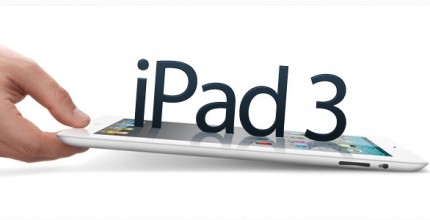
Apple iPad 3 Features And Release Date
http://www.thetechlabs.com/tech-news/ipad-3-features/

The Apple iPad is one of the best-selling tablets in the world, and the iPad 3 is one of the most anticipated devices from Apple this year. This article explains you about the new features that are to be included in theiPad 3.
In a nutshell, the Apple iPad3 will feature a new, thinner and sleeker design, down nearly 20 percent in size compared to the iPad 2. It will also support full touchscreen HD display with a screen resolution of 2048 x 1536.
Apart from that, the iPad 3 will have a lighter battery, reducing the weight of the tablet. However, the battery is reported to cost 20 to 30 percent more than the current iPad’s battery, and will also have a longer battery life.
It is also expected that the iPad 3 will have a wireless charging technology, which will be able to charge the battery and transfer data wirelessly.

iPad 3 Features

iPad 3 Features

Let’s now take a look at all the features in depth:

A6 ProcessoriPad 3

The current Apple iPad 2 has a 900MHz dual-core ARM Cortext-A9 processor, Apple A5 chipset and PowerVr SGX543MP2 GPU. This certainly made the Apple iPad 2 a powerful tablet and a main competitor in the world of tablets. Now Apple is aiming to make the competition tougher by sporting an A6 Quad-core Processor in the iPad 3. This would make the iPad 3 as powerful as any high-end desktop.
According to Linley Group senior analyst Kevin Krewell, “We expect the A6 will be a quad-core ARM Cortex-A9 design, which would be competitive with next year’s best mobile processors. In 2012, Nvidia will offer a quad-core Cortex-A9 processor, and Qualcomm will have the aforementioned MSM8960, a dual-core A15-class processor operating at 1.7GHz. Fabricating Apple’s A6 in 28nm (instead of the 40nm process Nvidia is using for its quad-core part) will reduce both die cost and power, yielding a much better product.”

iOS 5

The iPad 3 will come with the latest iOS 5, which will host the multi-touch gesture technology. However, analyst and tech enthusiasts predict that Apple would introduce OS X Lion for the tablet, since it will be powered by a quad-core processor.
This will also include multitasking features, such as notifications, task-finishing, app-switching, location and background sound.

3D Feature and New Retina DisplayiPad3

Apple enthusiast expected the Retina Display feature on Apple iPad 2; however, Apple has been working majorly for an improved version of it to include it in the iPad 3. The iPhone 4 currently supports the Retina Display with a screen resolution of 960 x 640. Apple explains Retina Display as: “Developing pixels a mere 78 micrometers wide, Apple engineers were able to pack four times the number of pixels into the same 3.5-inch (diagonal) screen found on earlier iPhone models. The resulting pixel density of iPhone 4 – 326 pixels per inch – makes text and graphics look smooth and continuous at any size.”
With the Retina Display feature, the screen resolution of the iPad3 will be 2048 x 1536 pixels. However, it is said that the third version of the tablet is delayed due to Retina Display issues, and Apple is expected to ship the tablet in early 2012.
There are speculations that the tablet will display the 3D view. Although it’s too early to expect features like 3D display, devices like the LG Optimus can record videos in 3D, and output the same through HDMI.

iPad 3 Features Continued:

Cloud Computing

Apple announced its Cloud services during the WWDC 2011, and will definitely include the iCloud technology both in the iPhone 5 and iPad 3. With iCloud users can store photos, apps, calendars and access songs on iTunes without having them to store in the phone’s memory.

Camera

The iPad 3 will come with an improved camera, since the previous version of the table didn’t seem impressive enough. Unlike the iPad 2, the new tablet will come with LED flash to support the camera. It is expected to have a 5MP camera with 1080p or 720p video recording quality of 60 frames per second. The technology made by OmniVision will help reduce the size of the table by 20 percent.

Fingerprint Proof

Apple has already been granted patents on this technology, and is working real hard to make the iPad3 fingerprint proof. The touch screen will be coated with oleophobic materials, which will reduce the oil and fingerprints on the screen.

Apple iPad 3 Release Date

There isn’t any official word from Apple on when the iPad 3 will be released; however, rumors indicate that it will be announced sometime early next year. Reports state the trial production is likely to start this October. One of the major reasons why the launch of the device has delayed is due to the Retina Display technology. It is also said that it could be delayed because of legal issues with one of Apple’s main supplier, Samsung.
The price and availability of the iPad 3 is still unknown. Please make sure that you keep visiting this page to stay updated.

Apple iPad 3 Price

Though the tablet promises quite a lot of new and exciting features, rumors indicate that it could be priced at a very high range. However, with the competition kicking in, I expect that the iPad 3 will be set at a reasonable price. Nevertheless, are you going to buy the new iPad 3? And what other iPad 3 features are you expecting? Let us know by adding your views below. it is also important to mention that Apple is expected to release theiPhone 5 a few months after the launch of the iPad 3.